
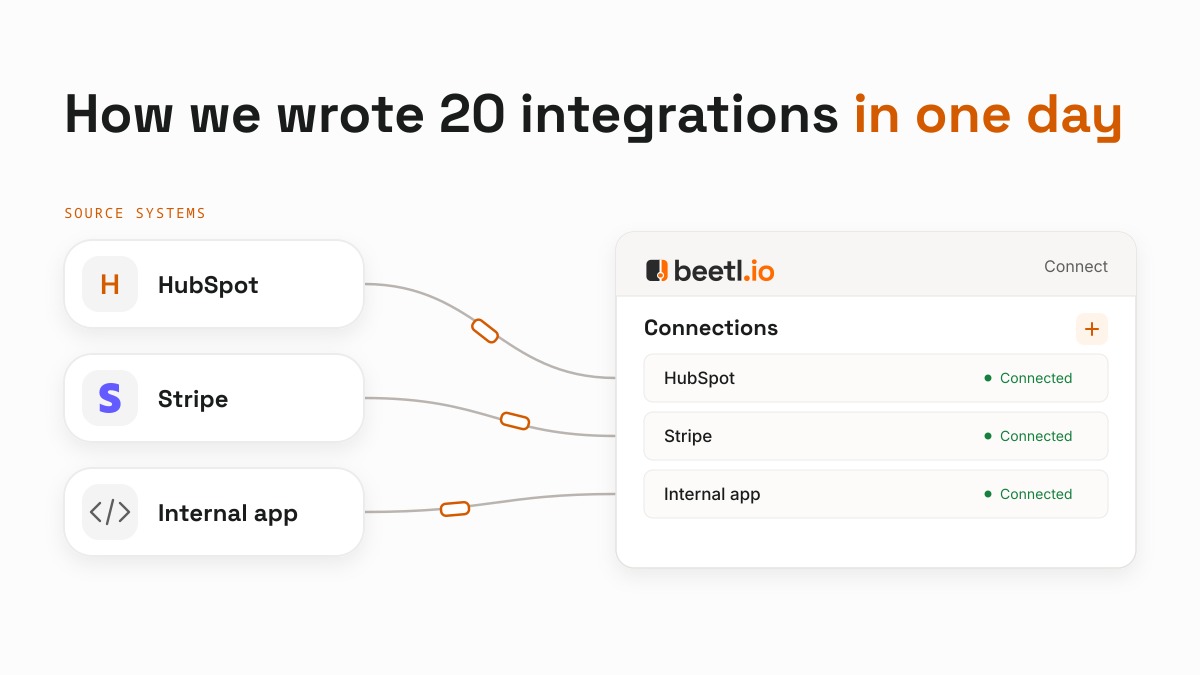
We wanted Beetl users to connect their business applications and work with the data together, such as comparing sales in HubSpot with invoices from their accounting system.
First, we need to get that data into Beetl. This is why we built Beetl Connect, a toolkit that keeps the code for fetching data small and lets our platform handle running it.
Connect lets us build ready-to-use integrations for our catalogue and quickly create custom ones for individual customers. That could mean connecting an internal application or handling a customer's specific data needs. Both use the same toolkit and run on the same infrastructure.
Using Connect and a coding agent, we wrote and initially tested twenty integrations in one day. HubSpot gives us a good example of how we did it.
Giving integrations a common structure
export default defineIntegration({
  key: "hubspot",
  displayName: "HubSpot",
  connection: {
    origin: "https://api.hubapi.com",
    auth: auth.bearer(),
  },

  syncs: (defineSync) => ({
    pipelines: defineSync({
      displayName: "Pipelines",
      mode: "replace",
      records: storageRecord(Pipeline),

      async *run(ctx) {
        yield* batchRecords(
          (async function* () {
            for (const objectType of ["deals", "tickets"]) {
              for await (const records of pages(
                ctx,
                `/crm/pipelines/2026-03/${objectType}`,
                Pipeline.omit({ objectType: true }),
              )) {
                yield* records.map((record) => ({...record, objectType,}));
              }
            }
          })(),
        );
      },
    }),
  }),
});
This is a shortened extract of our HubSpot integration, showing the sync for sales and support pipelines. Imports, record definitions and helper functions are omitted here.
We chose TypeScript, because of its large userbase, and designed our SDK around it.
The auth.bearer() declaration tells Beetl to ask for the bearer token, and tells the SDK how to include it in requests to HubSpot. That gives us the connection form below.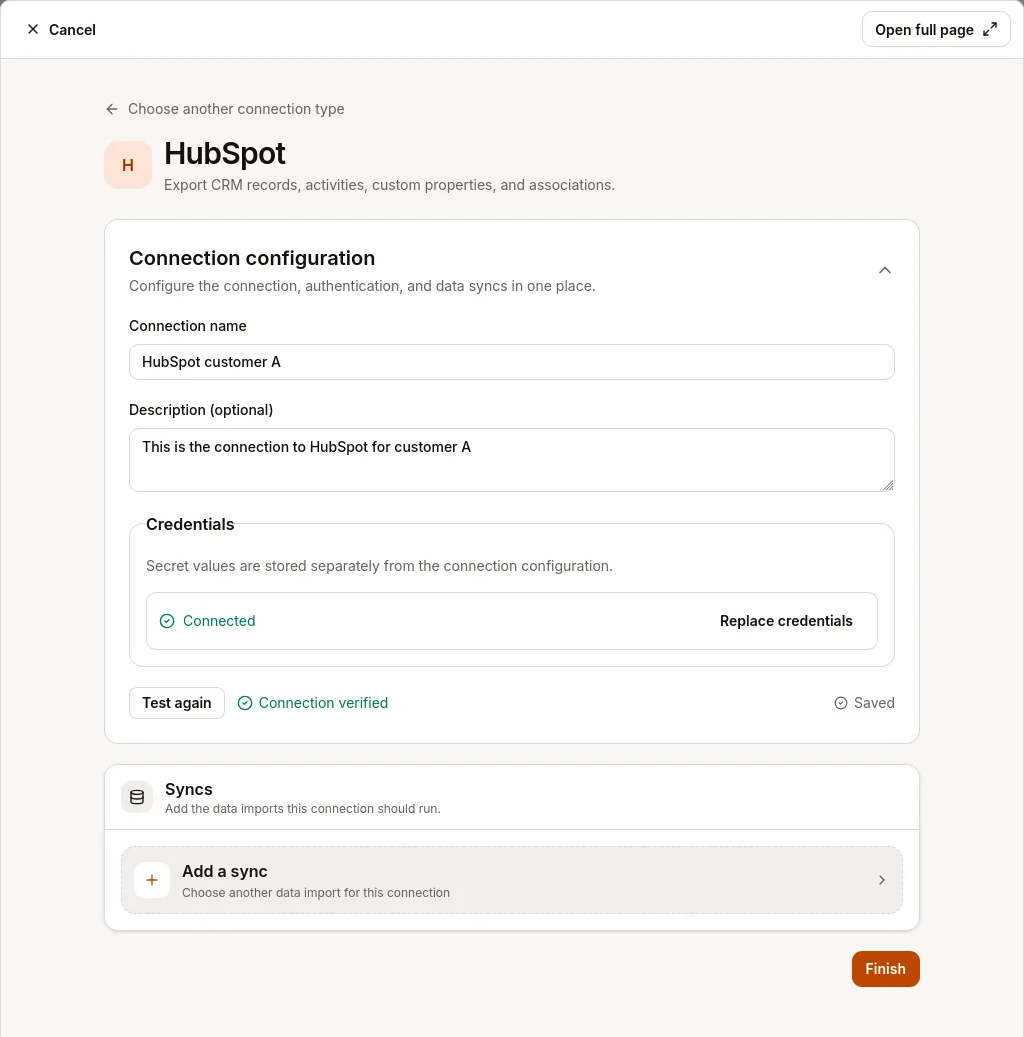
The records declaration describes the data the sync produces. Here, Pipeline defines fields such as the pipeline's name and stages. With mode: "replace", each successful run replaces the previous export in Beetl. Additionally there are "append" and "merge" modes for more incremental syncs.
The run function fetches the data, using our pages helper to follow HubSpot's pagination. Beetl handles scheduling and storage. Contacts and deals have their own syncs, so users can refresh them on different schedules while sharing the same connection.
Choosing what to sync
A list of deals gets us started. To compare sales with invoices, we'll also want to know which company each deal belongs to. HubSpot calls these links associations. Our integration exposes them as a separate sync, preserving the links and their labels so you can follow a deal back to the company and people involved. Users can choose which types of records to include.
Alongside the business records, we fetch owners, pipeline definitions and field descriptions. Together, these make up sixteen syncs, sharing the same HubSpot connection.
All of the UI forms are derived from the input schemas, defined using Zod in the integration and our platform only needs to understand the JSON Schema for them.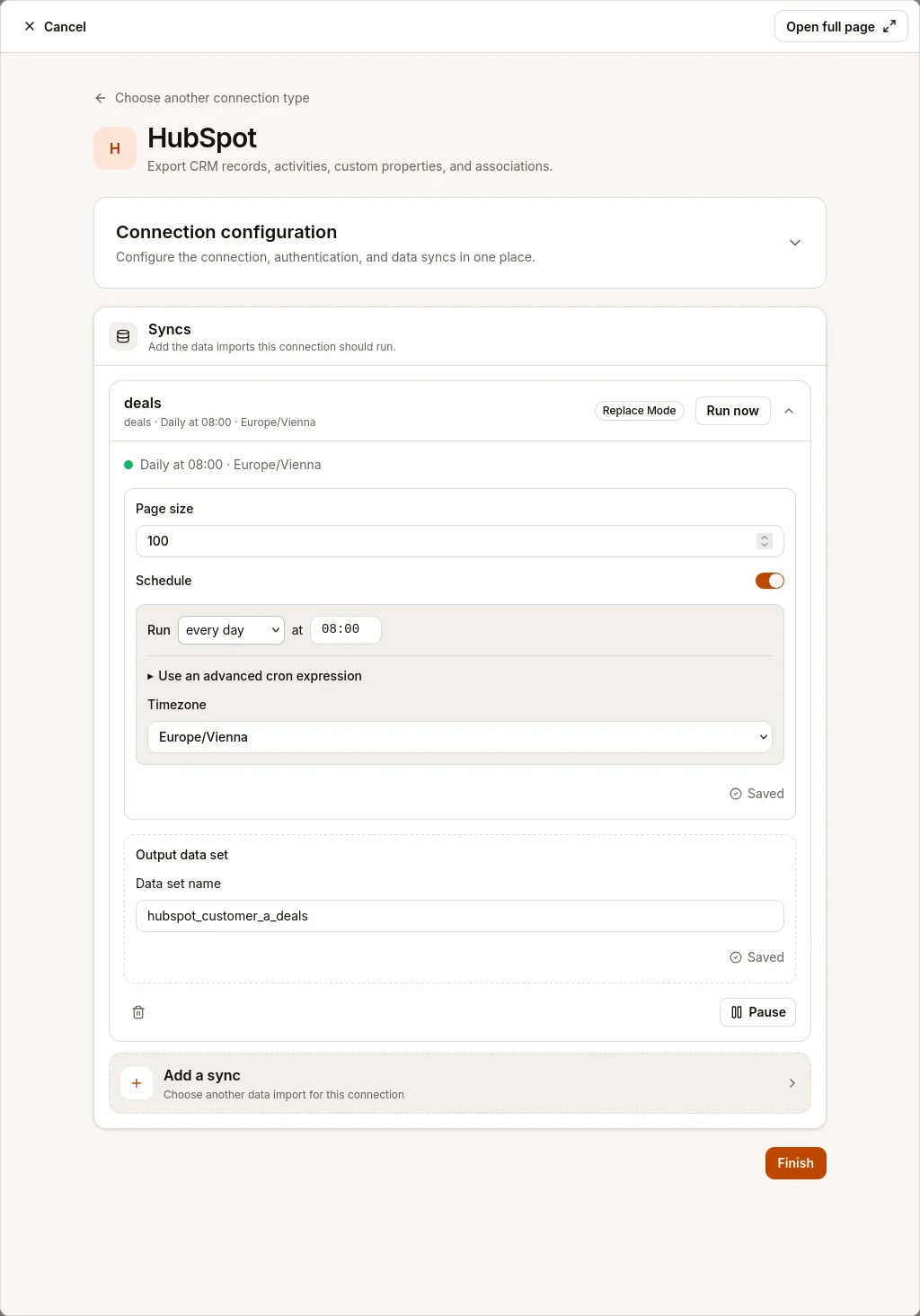
Before writing code
At this point it's tempting to hand the agent an API key and send it. However first, we need to check the provider's terms, including permission to offer the integration through our catalogue and restrictions on branding to make sure we stay compliant. Then we can set up a development account and obtain credentials for testing.
We chose which syncs to include, the agent read the API documentation and worked out which settings would let different users adapt the integration to their needs.
With the agreed scope, the agent wrote and packaged the integration, uploaded it to Beetl, then ran the syncs and inspected the resulting datasets. It used those results to correct the code and try again.
Human review came next. We read the code and tested the syncs ourselves, checking the imported records against HubSpot.
After this, rinse and repeat 20x.
Testing the integration
A sales team might add a "Customer tier" field to its HubSpot contacts. We made the integration discover the account's field definitions and fetch those values, so customers can bring across their custom fields using the same integration.
Associations have their own pagination. We tested contacts with enough relationships to span several responses, checking that every page was read and that the relationship labels survived the export.
Fetching only recently changed records sounds appealing. But what about a deal that's been deleted? We'd need a separate way to discover permanently deleted records and removed relationships. For these syncs, we chose complete exports that replace the previous dataset after a successful run. If a run fails, Beetl keeps the previous dataset available.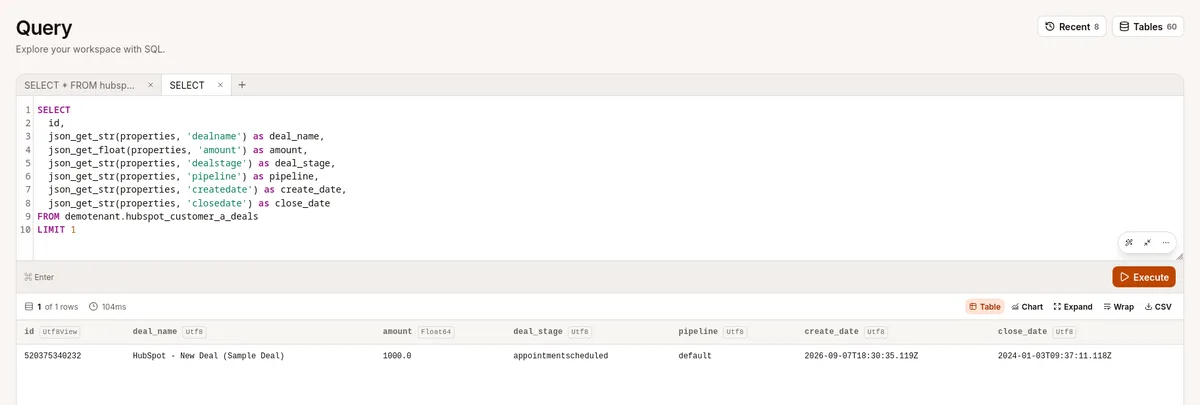
Running code uploaded by our users
Letting users upload integrations also means running someone else's code on our infrastructure. And what stops that code from poking around where it shouldn't? We have to account for faulty or deliberately malicious code.
We use gVisor on Kubernetes to run each job in a fresh, isolated environment, with limits on memory and execution time. Builds get the same protection, because loading a package can already execute code.
Networking is controlled outside the job. It can reach a dedicated Beetl API endpoint and an Envoy proxy, using short-lived credentials scoped to that run. The proxy allows public HTTPS connections while access to private infrastructure stays blocked.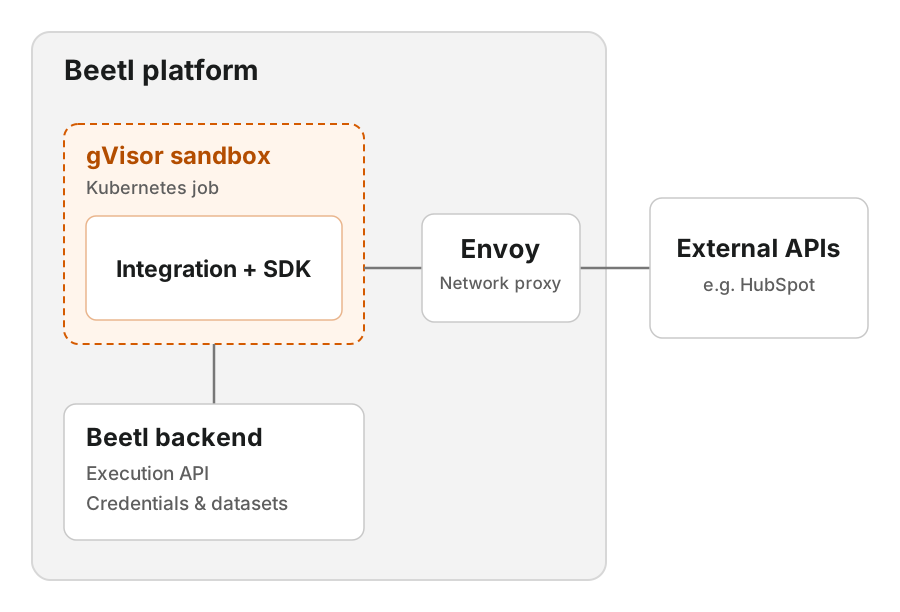
The integration receives credentials for its selected connection, so that account must trust the code. Credentials for other connections and the platform stay outside the job.
The proxy also gives us a place to add per sync VPN access to private customer networks later using tailscale/headscale or a different provider.
Shared account access and data storage
We built account access and data storage into Beetl so every integration can reuse them. The platform looks after saved credentials and renews access where the provider supports it.
The integration fetches the data, and Beetl checks and stores the results. If an export fails, the last successful dataset stays available. That gives integration authors a small, clear job: getting the right data from the source application. The platform takes care of the rest.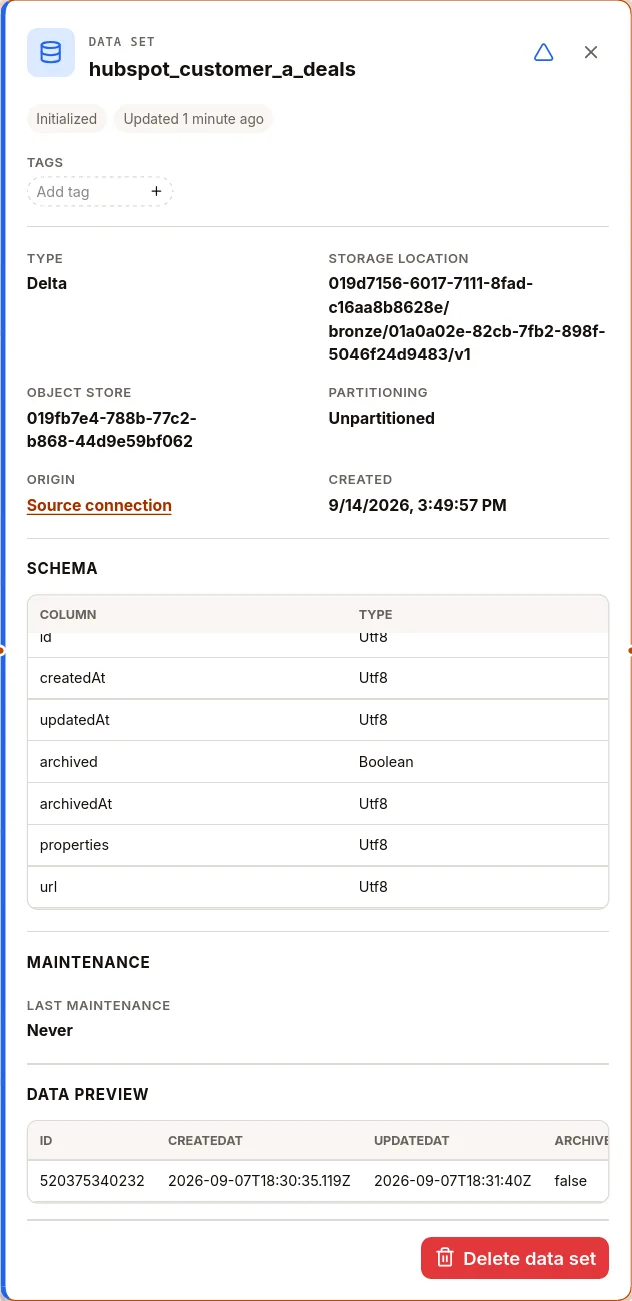
Why this worked with AI
All sixteen HubSpot syncs fit into 397 lines of TypeScript, including the record definitions and whitespace. Connect supplies the shared building blocks, and Beetl supplies the infrastructure to run them.
That gave the coding agent a manageable task. It could work from the API documentation and an existing integration, then run its code and inspect the results. We could focus our review on how it handled the source data.
With the SDK and execution platform in place, we wrote and initially tested twenty integrations in one day. The speed came from reusing that foundation across the batch, with AI helping us write and test the code specific to each application.
This also changes how we approach customer differences. A general HubSpot integration can accumulate settings and exceptions as it encounters different setups. It's natural to reach for another setting when the next request comes in. With Connect, we can also give a customer with unusual requirements a small integration of their own. Writing that version can be cheaper than fitting another exception into the shared connector, because the infrastructure and SDK are already there.
Customers can write these too. The SDK is open source, so they can adapt an existing integration or author one for their own application. We can also build it for them. Either way, their custom integration runs on the same platform as the integrations in our catalogue.
If your team is struggling to keep up with integration requests, we're here to help. Tell us what you're trying to connect at info@beetl.io.
This article is independent of HubSpot, Inc. and is not endorsed, sponsored, or approved by HubSpot. Provider terms were checked on 14 September 2026.