
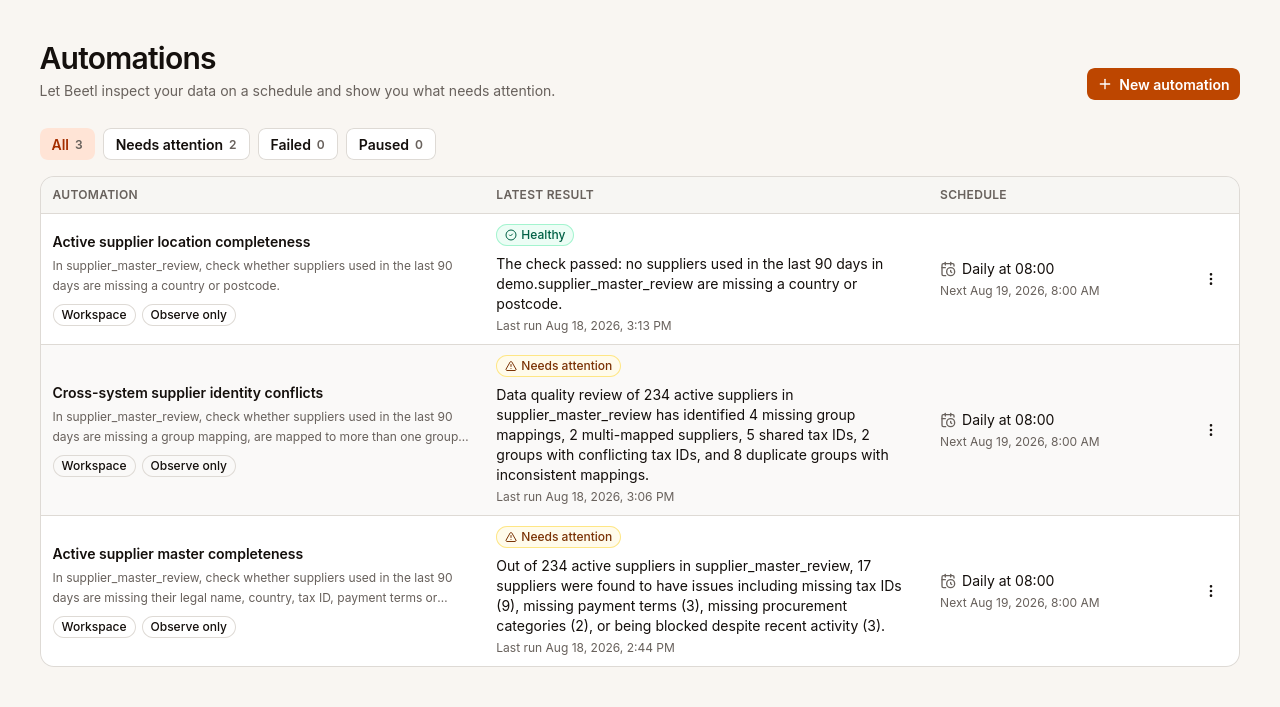
I had been thinking about this feature for a while because we had already built most of the pieces it needed: pipelines, a query engine, scheduling, run history, and an AI assistant that could inspect data. I wanted to combine those pieces into a check that runs every day and tells me whether the data is still correct.
AI Automations are scheduled or manually run data checks in Beetl. You describe a business condition in plain language, and Beetl investigates the current data with read-only SQL before reporting Healthy, Needs attention, or Failed.
Of course, you can already do this deterministically. Write a query, assert that it returns zero rows, and send an alert when it does not. For a well-defined invariant, that is often exactly what you should do.
A deterministic check only covers the conditions encoded in its query. As exceptions and new source values appear, the query has to be updated or its results become increasingly noisy.
I wanted something more "agentic". By that I mean a check that can choose investigative steps beyond the path I explicitly defined. I wanted to describe the outcome I cared about, then let the system inspect the schema, sample the data, write queries, and follow up on whatever it found. The queries still had to be read-only, and I needed to see the evidence behind the result.
Building the supplier master review pipeline
The scenario involves a manufacturing group integrating a newly acquired company. Headquarters uses SAP. The acquired company uses Dynamics 365. Both systems contain suppliers and invoices, and a crosswalk is supposed to connect each local supplier ID to one group-wide ID.
This creates a small master data management problem. The local records need to be matched to the same group supplier even when the two systems describe that supplier differently.
I started with supplier and invoice data from SAP and Dynamics, then added a crosswalk mapping local suppliers to group entities. The Supplier master review pipeline brings those sources together and marks which suppliers were used in the last 90 days.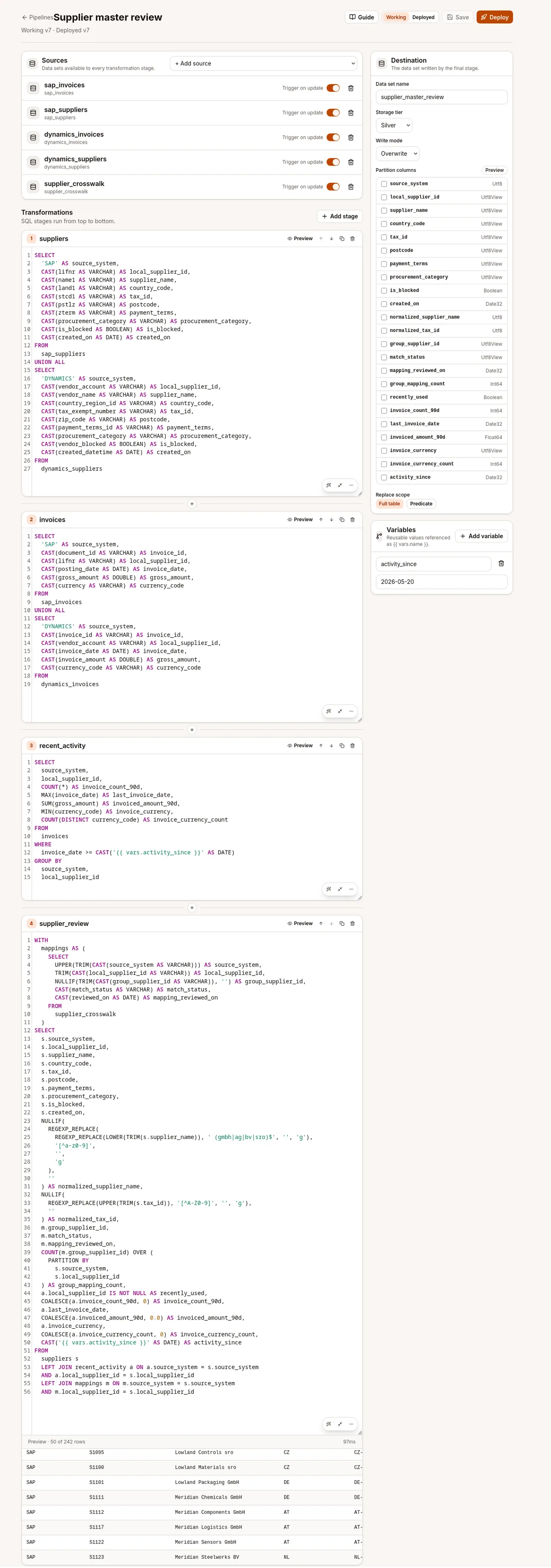
The result contains 242 rows, even though there are only 240 source supplier records. Two suppliers are mapped to two group IDs, so the join duplicates them. I left that contradiction in because it is exactly the sort of thing I wanted the Automation to notice.
A simple location completeness check
The first check was intentionally simple:
In
supplier_master_review, check whether suppliers used in the last 90 days are missing a country or postcode.
That was it. There was no query to write or rule builder to configure. I described what I wanted checked and chose when it should run.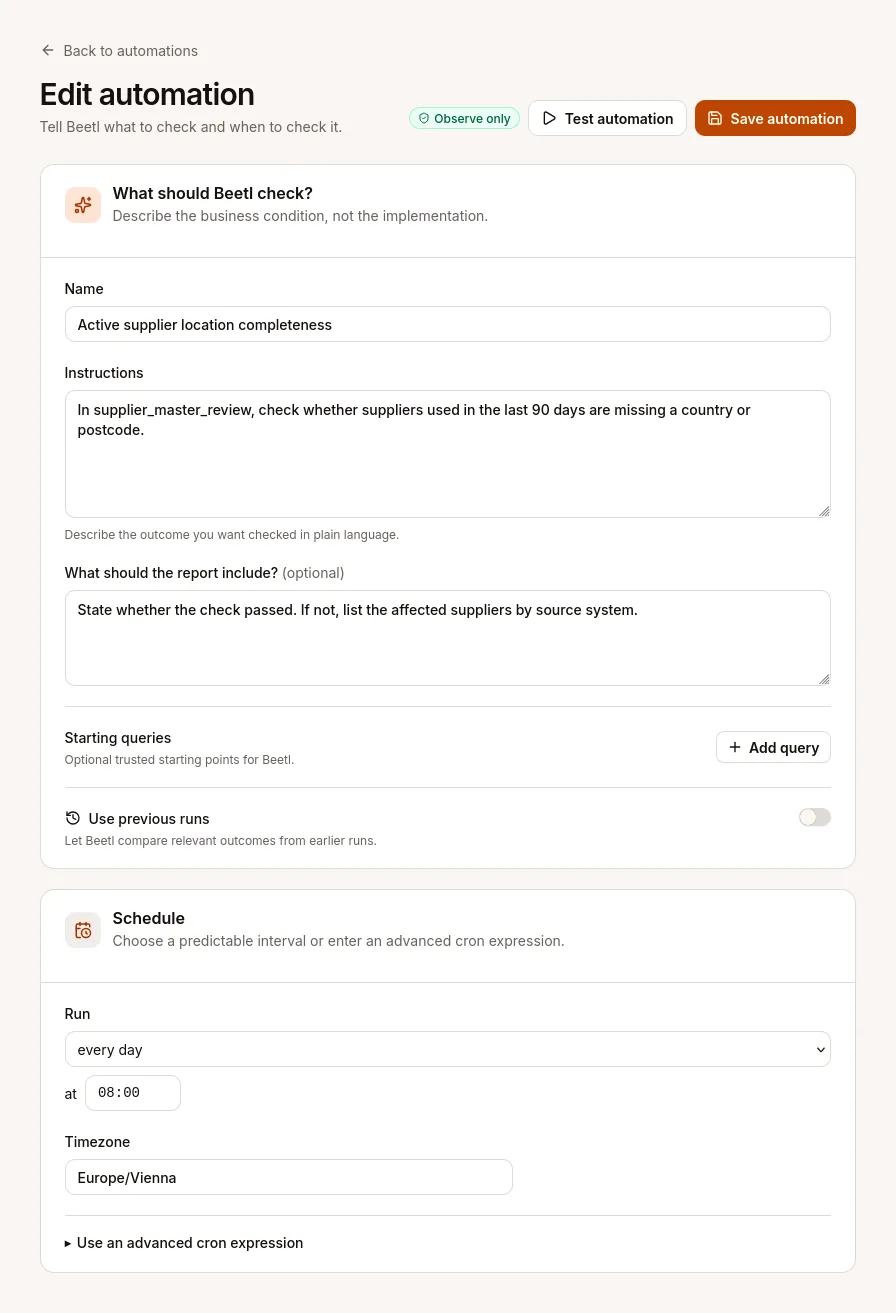
Then I used the “Test automation” button to run the check before saving it. Beetl inspected the dataset, ran its queries, and came back Healthy.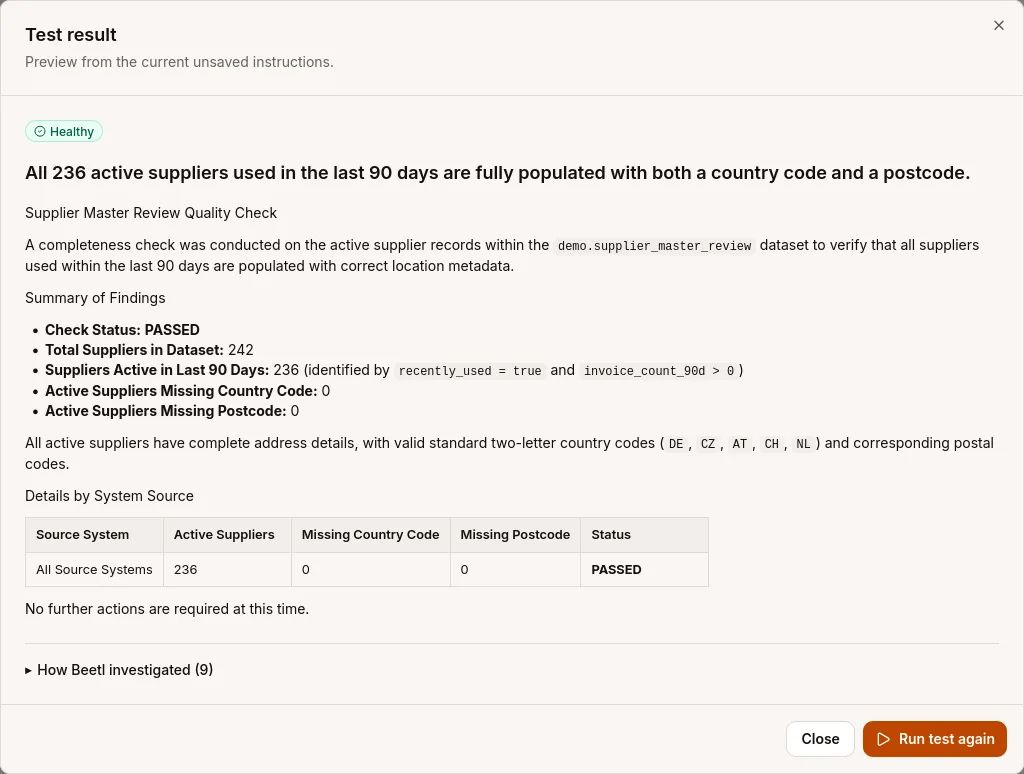
I already knew the report's count of 236 included two duplicate rows. Both duplicates had complete location data, so they did not affect this check and I left the count alone for the moment.
Defining the supplier population
For the next Automation, I asked a broader question. I wanted to find recently used suppliers missing a legal name, country, tax ID, payment terms, or procurement category. I also wanted to know about blocked suppliers that still had recent invoices.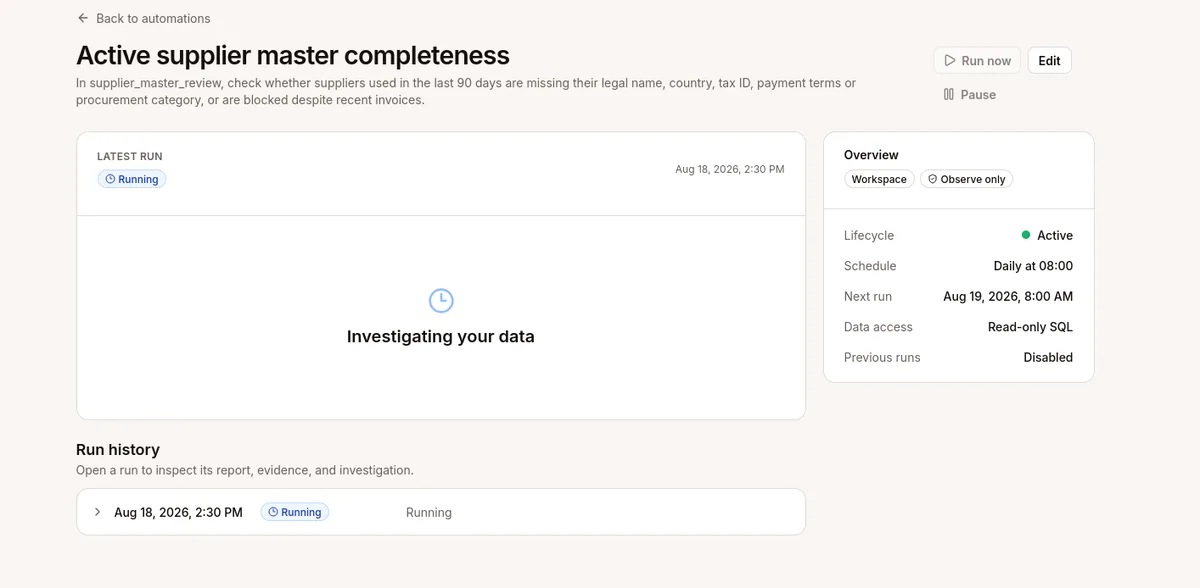
The check did not pass because 17 suppliers had incomplete or contradictory master data.
The report again treated every active row as a separate supplier. That produced a population of 236 instead of the correct 234.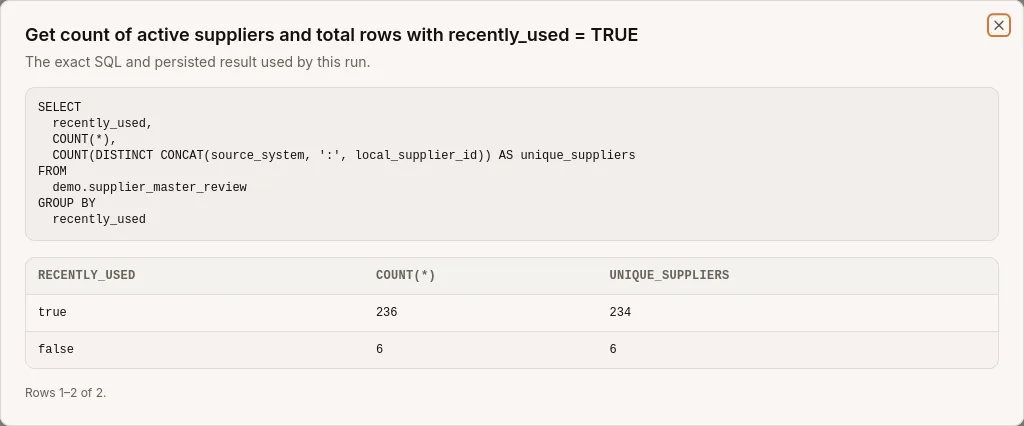
My first reaction was to edit the instruction. I added: count each supplier once by source system and supplier ID. The next run still returned 236.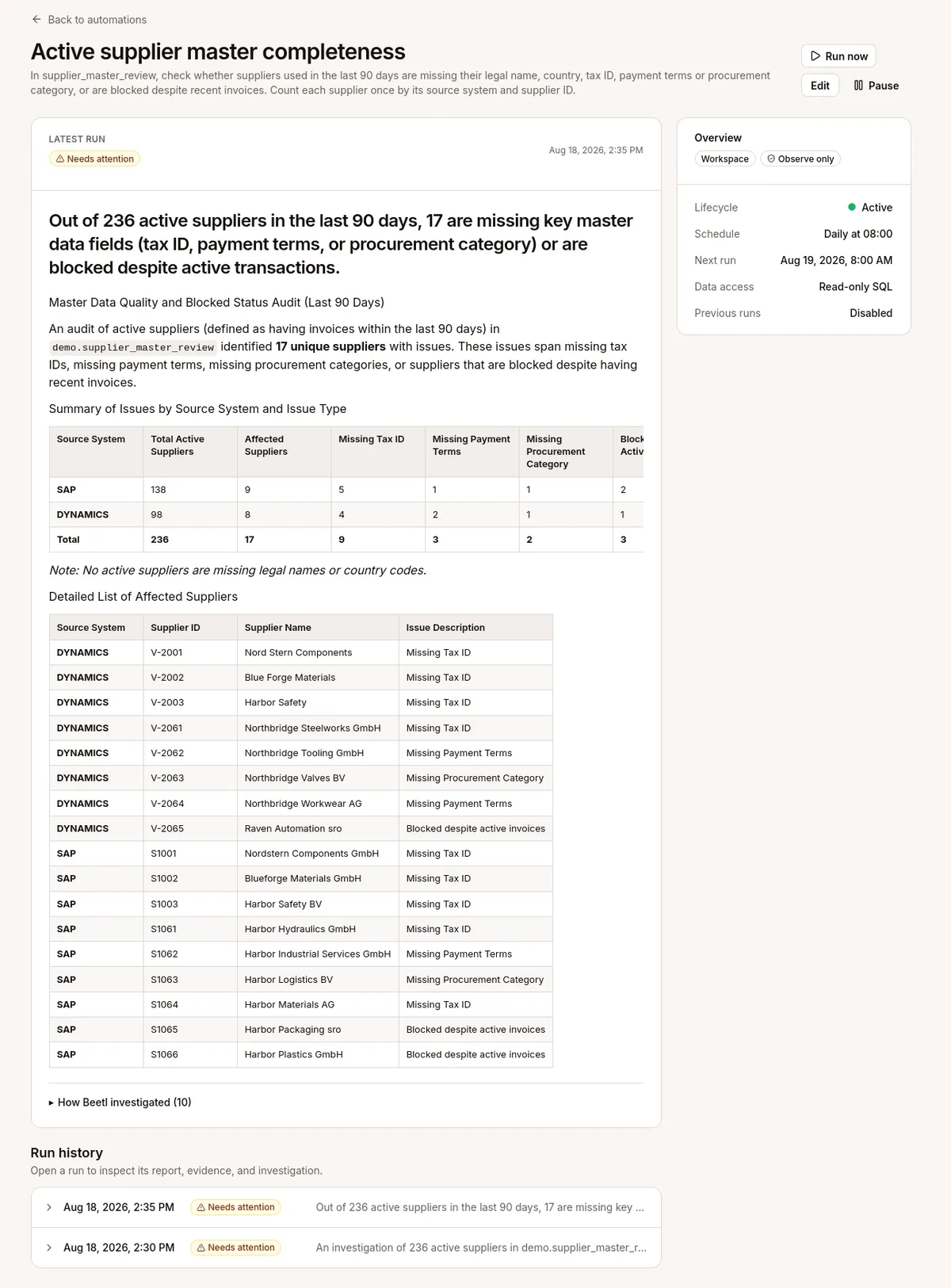
Instead of rewording the instruction again, I added the unique supplier query as context for the next run.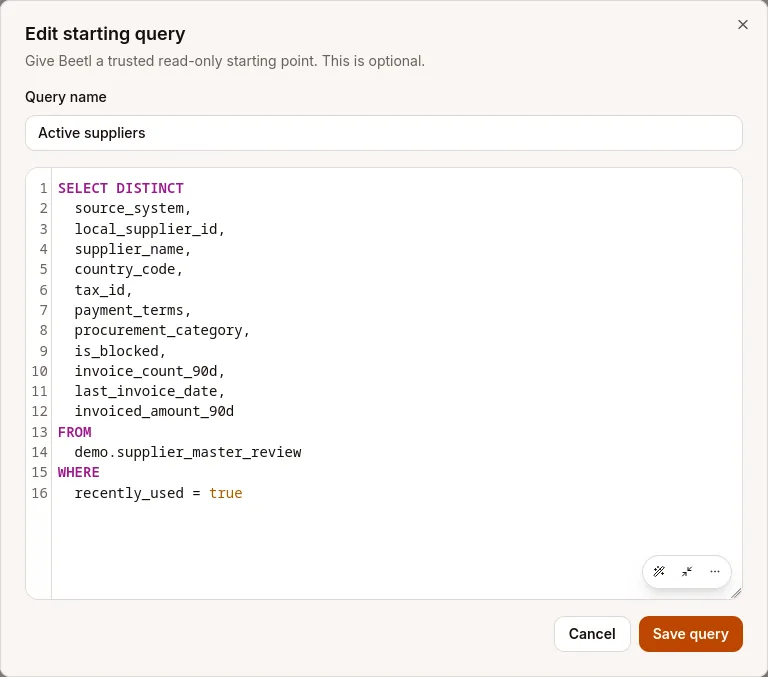
Beetl uses the “Starting query” as trusted context for the rest of the investigation. SQL provides the precise definitions, and the Automation investigates around them.
Problem solved. The next run reported 234 active suppliers and the same 17 exceptions, using five visible investigation steps instead of ten.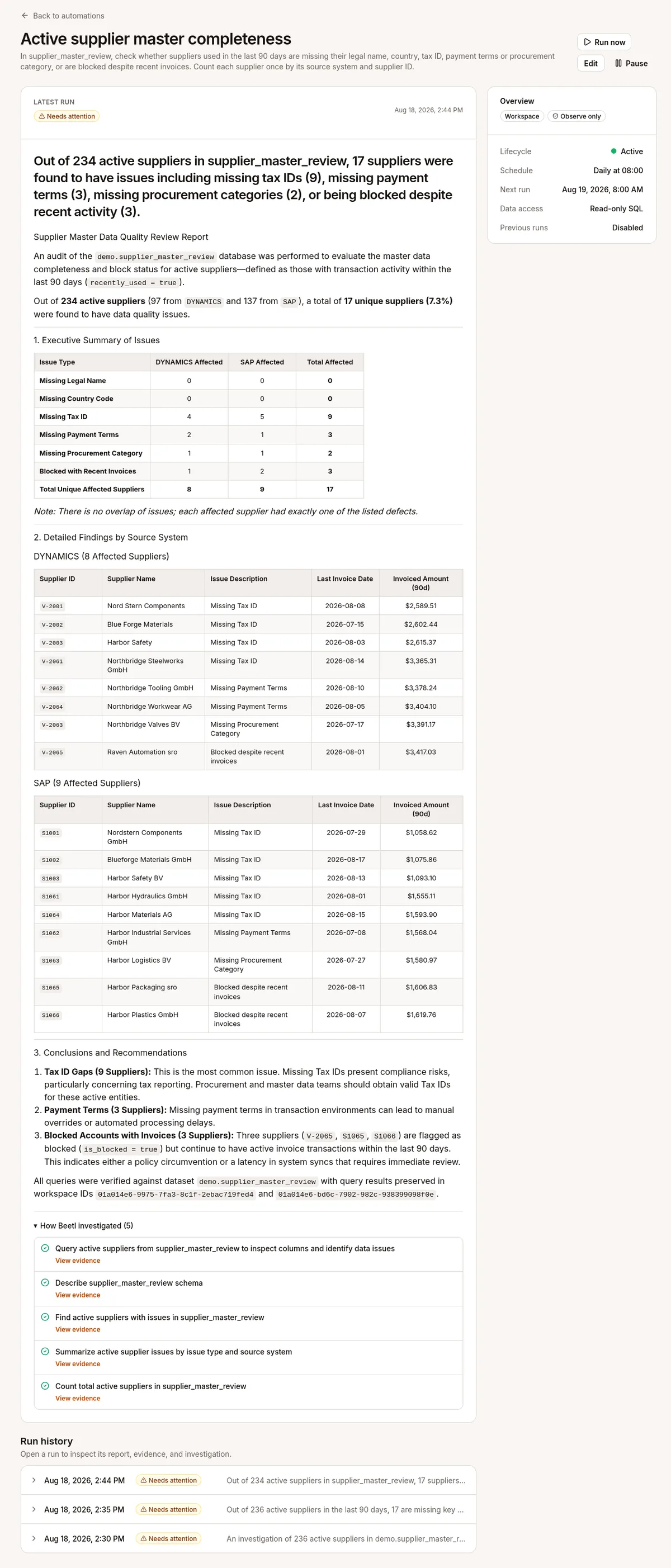
Comparing supplier identity across runs
For the third check, I wanted to verify that suppliers were identified consistently across SAP and Dynamics. This included missing group mappings, suppliers mapped more than once, conflicting tax IDs, and likely duplicates.
The first run found four unmapped suppliers, two suppliers mapped to multiple group IDs, conflicting tax ID assignments, and eight duplicate groups with inconsistent mappings.
Previous runs turn the identity check into a remediation tracker. When “Use previous runs” is selected, Beetl makes earlier finalized runs available through tool calls. This avoids putting the entire run history into the model's context. The Automation decides which run to inspect and what information to retrieve based on the instructions.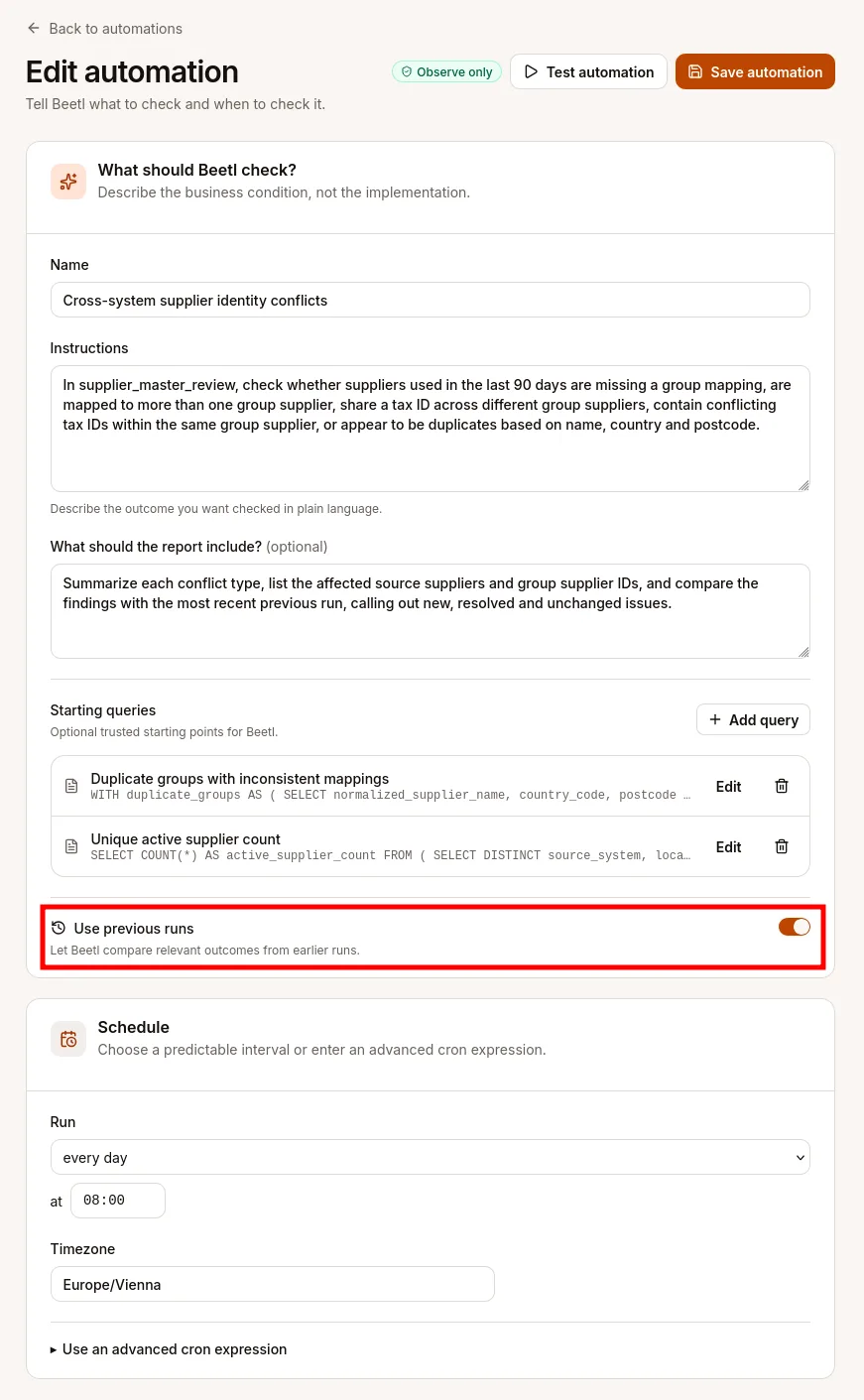
On the next run, Beetl inspected an earlier finalized run, queried the current data again, and reported that every finding was unchanged.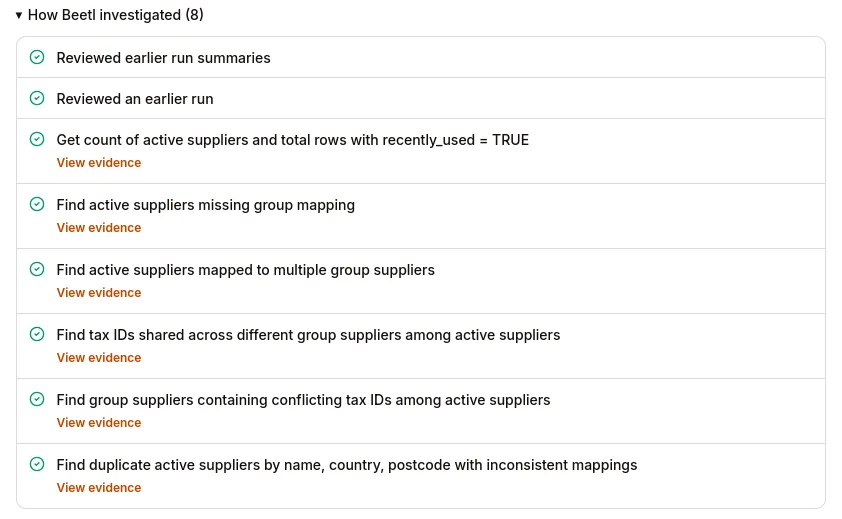
This concludes my little experiment, and I am very happy with the result. Beetl investigated the current data from a plain-language instruction, showed the evidence behind its conclusions, used trusted SQL context where definitions had to be exact, and compared findings with previous runs.
Of course, you should still use deterministic checks for precise invariants. AI Automations are useful for the more exploratory work: investigating vague requirements, adapting to unfamiliar data, and helping turn what they find into a better-defined rule. With clear boundaries and visible evidence, this is where I think LLMs are most useful for data quality.
Notifications are next. We want Automations to reach the right person through Slack, email, WhatsApp, Microsoft Teams, or a generic webhook. We are also looking at exposing Automation states to Prometheus-based alerting, so they can enter existing monitoring and incident-response workflows. Stay tuned.